As an Amazon Associate we earn from qualifying purchases. Learn more.
How to Choose LED Bulbs That Work With Your Dimmer (2026)
Flickering, buzzing, lights that won’t dim low enough, or smart bulbs that lose connectivity when someone flips the switch — these are the headaches homeowners face when mixing LED bulbs with older dimmers. This guide explains the root causes of those problems and shows how to choose LED bulbs and dimmers that avoid them. You’ll learn which products are engineered to eliminate flicker, what compatibility checks to run, and quick testing steps to confirm a stable installation. Products here were selected for proven compatibility features, manufacturer compatibility tools, and consistent customer reports about quality and ease of installation.
Quick Answer
Pick LED bulbs labeled “dimmable” and pair them with a dimmer designed for LEDs—our top pick, the Lutron Diva LED+ (B004C2WTLU), uses HED technology and extensive compatibility testing to reduce flicker and widen the usable dim range. If you use smart bulbs, use a dedicated accessory like the Lutron Aurora (B07RJ14FBS) to keep bulbs powered and prevent loss of functionality.
Our Top Picks
Quick Comparison
Select 2-3 products to compare side-by-side
| Compare | Product | HandleSmith Score | Price Tier | Key Feature | Best For | Action |
|---|---|---|---|---|---|---|
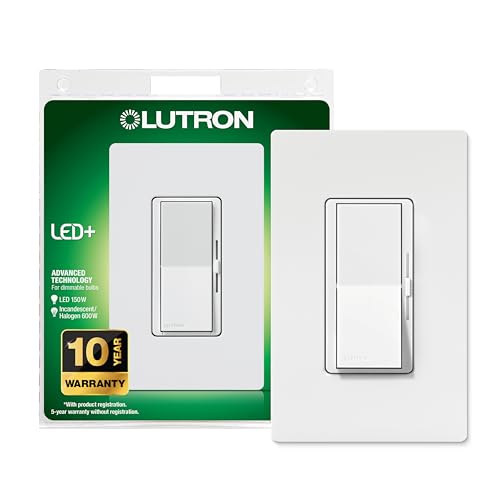 Lutron Diva LED+
|
Budget | HED tech for flicker reduction | Homes needing reliable LED dimming | Check Price | ||
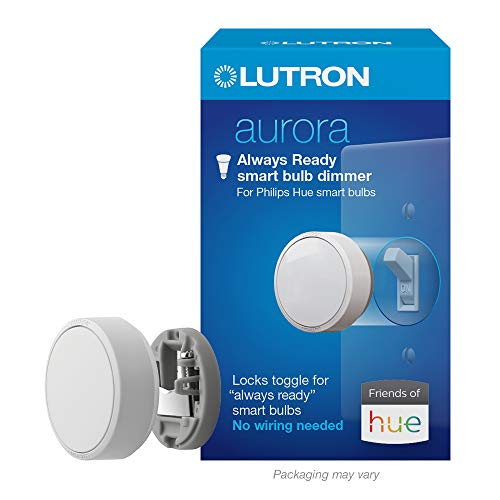 Lutron Aurora
|
Premium | Keeps smart bulbs always powered | Philips Hue and ZigBee smart bulb setups | Check Price | ||
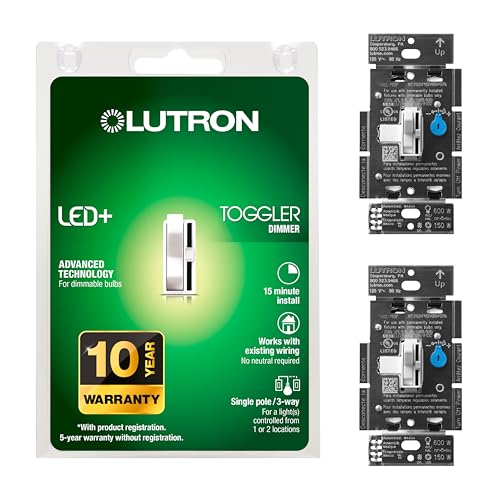 Lutron Toggler LED+ (2pk)
|
Premium | Tested for flicker-free dimming | Multiple rooms or whole-house swaps | Check Price | ||
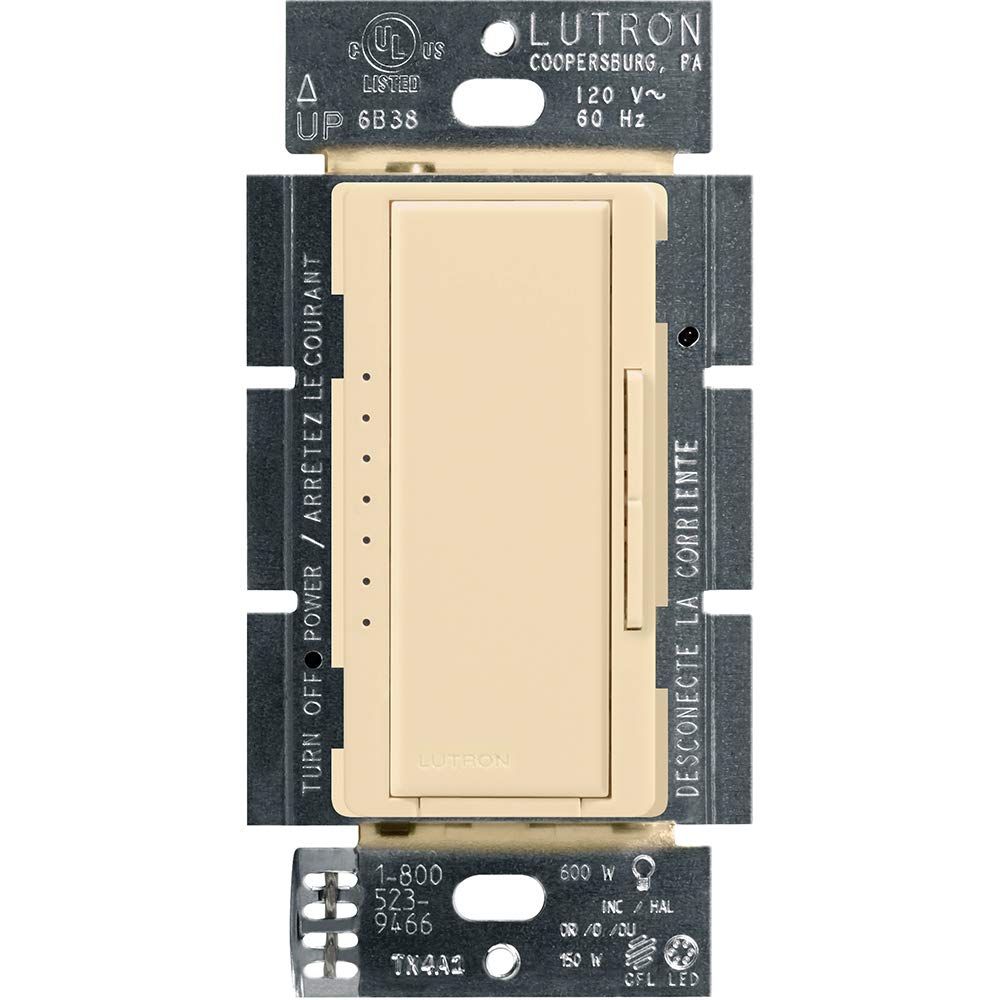 Lutron Maestro (Ivory)
|
Mid-Range | Patented tech to optimize dim range | Rooms needing smooth, feature-rich dimming | Check Price | ||
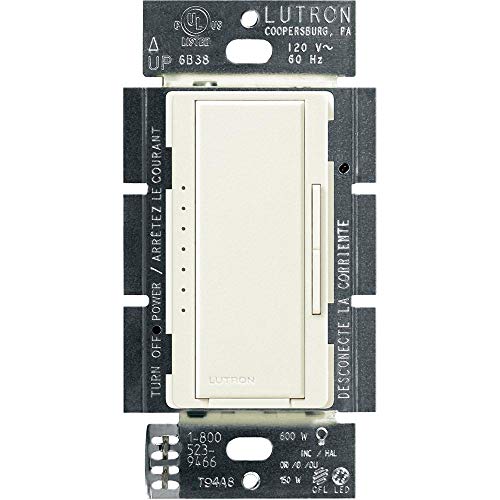 Lutron Maestro (Biscuit)
|
Budget | Optimizes dim range for many LEDs | Budget-conscious rooms needing reliable dimming | Check Price |
1. Lutron Diva LED+ Dimmer Light Switch for Dimmable LED, Halogen, and Incandescent Bulbs with Wallplate, 150 Watt, Single-Pole or 3-Way, DVWCL-153PH-WH, White
The Diva LED+ is engineered to eliminate typical LED-dimmer issues: HED circuitry and extensive bulb testing widen the usable dim range and reduce flicker. It installs quickly with no neutral required and includes a dial to adjust the low-end trim for stubborn bulbs.
Key Specs
- Works with up to 150W dimmable LED/CFL or 600W incandescent/halogen
- HED technology to improve dimming performance
- Single-pole or 3-way compatible; includes wallplate
- Adjustment dial to set bottom of dimming range
Pros
- Designed and tested to minimize flicker with many LED bulbs
- Easy 15-minute installation with no neutral required
- Adjustable low-end trim to fine-tune dimming
Cons
- Some bulbs may not dim below roughly 20% on certain loads
- A few users report occasional buzzing with specific bulbs
Best For: Homes needing reliable LED dimming
Check Latest Price on Amazon2. Lutron Aurora Smart Bulb Dimmer Switch | for Philips Hue Smart Bulbs | Z3-1BRL-WH-L0 | White
Aurora solves the common smart-bulb problem where users flip the wall switch and cut power. It locks the toggle in the on position and gives a physical dim/bright control that preserves connectivity and avoids power-cycling flicker or lost functionality during Wi‑Fi drops.
Key Specs
- Designed for Philips Hue and ZigBee certified bulbs
- No wiring required; mounts over existing toggle
- Maintains bulb connection even if Wi‑Fi goes down
- Tap to on/off or rotate to dim; pairs via Hue Bridge
Pros
- Prevents accidental power-off so smart bulbs remain responsive
- Very quick install—no electrician needed
- Works locally (no app) for basic on/off and dimming
Cons
- Premium price compared with standard dimmers
- Only intended for smart ZigBee bulbs—not general LED bulbs
Best For: Philips Hue and ZigBee smart bulb setups
Check Latest Price on Amazon3. Lutron Toggler LED+ Dimmer Switch for Dimmable LED, Halogen and Incandescent Bulbs, 150 Watt, Single-Pole or 3-Way, TGCL-153PH-2-WH, White, 2 Pack
The Toggler LED+ offers the same LED+ performance in a classic toggle form; Lutron reports thousands of bulbs tested for flicker-free behavior. Sold as a two-pack, it’s practical for updating multiple switches and supports mixed loads of LED, CFL and halogen.
Key Specs
- 150W dimmable LED/CFL capacity per switch
- Small slide control for precise dimming
- Single-pole or 3-way use; installs without neutral
- Lutron LED compatibility tool for bulb checks
Pros
- Good value for multi-switch installs (2-pack)
- Engineered to reduce flicker across many bulb brands
- Standard toggle form factor many users prefer
Cons
- Some reports of limited low-end dimming with certain bulbs
- Wallplate sold separately, adding minor extra cost
Best For: Multiple rooms or whole-house swaps
Check Latest Price on Amazon4. Lutron Maestro LED+ Dimmer Switch for Dimmable LED, Halogen and Incandescent Bulbs, 150W/Single-Pole or Multi-Location, MACL-153M-IV, Ivory
Maestro LED+ focuses on smooth, well-engineered dimming and offers helpful programming options like delayed fade-to-off. Its patented circuitry improves the dim range for many bulbs and supports multi-location setups—useful where you want consistent behavior across switches.
Key Specs
- Works with up to 150W dimmable LED/CFL or 600W incandescent
- Over 150 lighting levels with rocker/dim control
- Multi-location support up to 10 locations (companion dimmer required)
- No neutral required; advanced programming features
Pros
- Smooth dimming and attractive design
- Useful advanced settings (e.g., delayed fade-to-off)
- Well-built and straightforward to install
Cons
- Some bulbs still show flicker with specific combinations
- Mid-range price—value opinions vary
Best For: Rooms needing smooth, feature-rich dimming
Check Latest Price on Amazon5. Lutron Maestro LED+ Dimmer Switch for Dimmable LED, Halogen and Incandescent Bulbs, 150W/Single-Pole or Multi-Location, MACL-153M-BI, Biscuit
This Maestro SKU delivers the same LED+ circuitry as the ivory model at a budget tier. It’s a practical option when you want the Maestro feature set—programmable fades, multi-location support and improved LED compatibility—without paying premium prices.
Key Specs
- 150W LED/CFL or 600W incandescent compatibility
- Rocker switch with preset on/off to favorite level
- Tested for flicker-free dimming across many bulbs
- Installs in ~15 minutes, no neutral required
Pros
- Great value for Maestro features
- Consistently praised for build quality and look
- Easy installation and operation
Cons
- A small number of users report flashing with specific bulbs
- Some debate over long-term durability
Best For: Budget-conscious rooms needing reliable dimming
Check Latest Price on AmazonWhich One Should You Choose?
If you want the most reliable general-purpose LED dimmer that reduces flicker across many bulbs → choose the Lutron Diva LED+ (B004C2WTLU). If budget is tight but you want Maestro features and good build quality → choose the Lutron Maestro (Biscuit) (B008X3CZ6S). If you use Philips Hue or other ZigBee smart bulbs and need wall control without cutting power → choose the Lutron Aurora (B07RJ14FBS).
Best for Specific Scenarios
- Living room or dining where low, stable dimming matters: Lutron Diva LED+ because HED circuitry and low-end trim reduce flicker at low levels.
- Smart-home rooms with Hue bulbs: Lutron Aurora because it keeps bulbs powered and preserves app/voice control.
- Quick multi-switch updates: Lutron Toggler LED+ (2-pack) because it’s convenient for swapping switches in multiple rooms while improving LED compatibility.
Frequently Asked Questions
Why do LED bulbs flicker on a dimmer?
Flicker usually comes from a mismatch between the dimmer’s control method and the LED bulb’s driver electronics. Older dimmers expect a high-resistive incandescent load; LEDs draw much less power and use driver circuits that can respond poorly to those control signals. The result can be unstable current, audible buzzing, or flicker—especially at low dim levels.
How can I stop smart bulbs from losing connection when the wall switch is used?
Smart bulbs need continuous power. Prevent power cuts by using a switch-lock or a dedicated accessory dimmer (such as the Lutron Aurora) that mounts over the toggle and keeps the circuit in the on position while offering local dim/bright controls. This keeps the bulb powered and avoids lost connectivity or re-pairing.
Can I mix LED and halogen bulbs on the same dimmer?
Some modern LED-compatible dimmers explicitly support mixed loads, but behavior varies by combination. Mixed loads increase the chance of uneven dimming or flicker. If mixing, choose a dimmer that states mixed-load compatibility and test the exact combination at different dim levels before committing to many fixtures.
How We Selected These Products
Our recommendations are based on data-driven analysis: we evaluated 100770+ products across 13951+ brands using a composite scoring system that weighs rating (40%), review volume (30%), price value (20%), and demand signals (10%). Every product is ranked by data, not opinions.
Last updated: September 13, 2026
As an Amazon Associate we earn from qualifying purchases at no extra cost to you. Full disclosure.
HandleSmith Score is our editorial ranking based on a composite analysis of product quality, value, and verified customer sentiment. Click through to Amazon for current pricing, availability, and live customer reviews.